Templates can include common record fields, but you must assess legal and internal compliance yourself.
Android and Windows roles
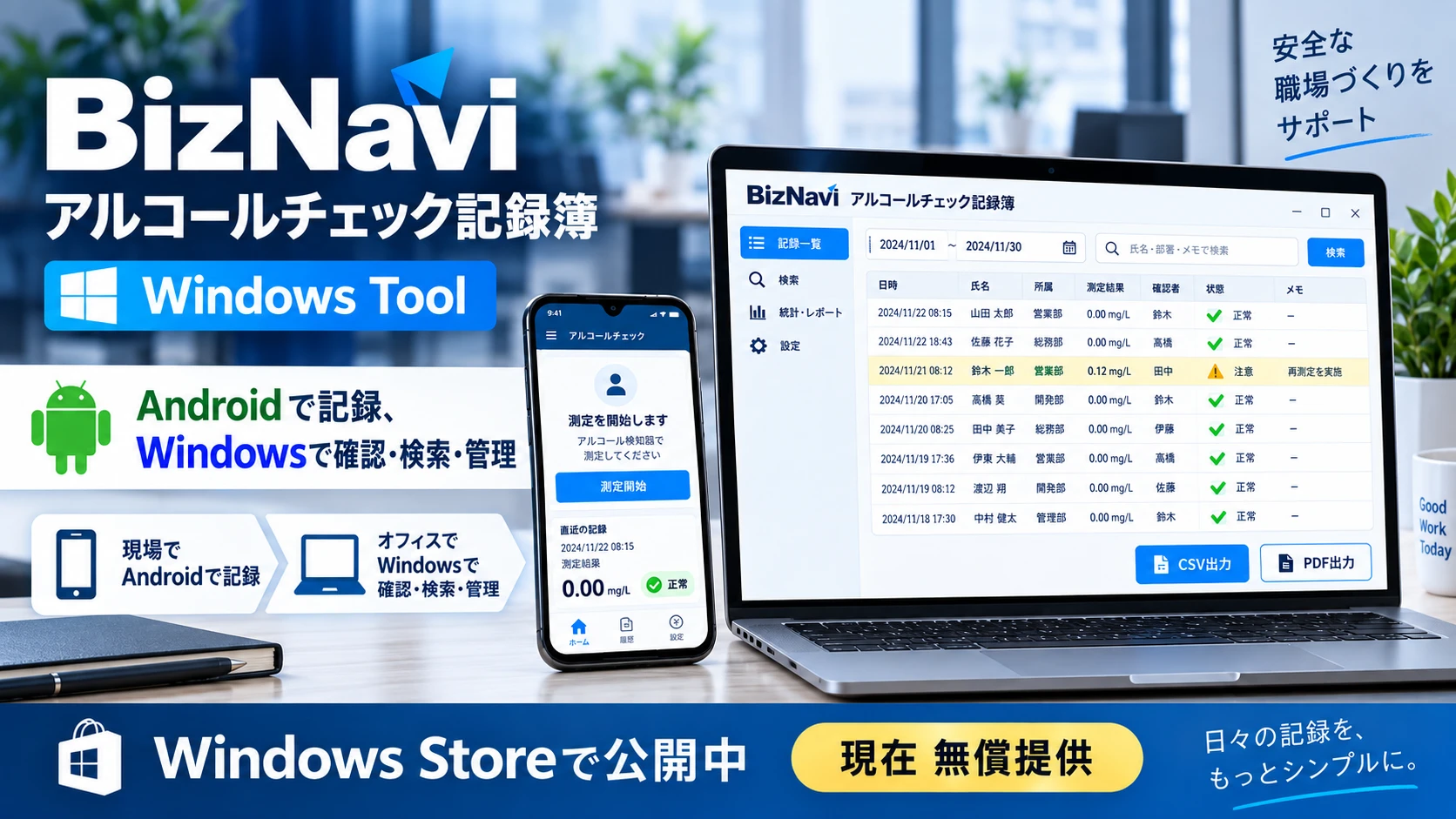
Android is for recording. Search, administration, CSV and PDF are handled by the Windows tool. This is not automatic sync.
Android
Record
Export
Hand off to Windows
Windows
CSV import (planned v1.1)
Preview
Search
Correction / cancellation history
PDF
CSV
Excel, Android and Windows do not sync automatically. You export and import the files.
Business records are not designed to be sent automatically to a BizNavi-operated server.
Generic CSV import from Excel is planned for the Windows tool v1.1.
Review and manage records on Windows too
BizNavi Alcohol Check Record Book Windows Tool
A Windows tool for reviewing, searching, and managing alcohol-check records captured in the Android app. Use Android in the field and Windows in the office.
Records are not synced automatically. Export and import to hand data off to the Windows Tool.
Generic CSV import from Excel exports is not available in the Windows tool v1.0.
Generic CSV import from Excel is planned for the Windows tool v1.1.
Screen images
From recording to review and search
Record on the Android app. Review, search and administration use the Windows tool. Each has a distinct role.
How recording works
From paper and spreadsheets to searchable records
Bring scattered paper and files into a flow that is easier to record, confirm and find later.
A fit for these workplaces
For smaller field, visiting or transport teams that first want to organise on-site records.
Support for required record work
Supports recording, confirmation and later search around roll-call. You remain responsible for current law and internal rules.
How to choose
Paper, Excel and BizNavi
A simple comparison of paper, free Excel, and the app plus Windows tool.
Step up from Excel when you need to
Start with free Excel. Move to the Android app and Windows tool when you need more. This is not automatic sync.
Why it is easy to start
Easy start with free Excel
Start with a free Excel template. No account and no macros.
Keep records in your hands
Business records are not designed to be sent automatically to a BizNavi-operated server. Local file operations stay in your control.
From Excel onward
Step up from Excel
When you are ready, move from the free template to the Android app and Windows tool. Files are exported and imported by you.
Flexible customisation
You can discuss forms and confirmation flow to match how your workplace operates.
Where you use it
Records that are easier to review
Keeping records makes confirmation and later review easier.
Everyday use
Designed around everyday scenes such as roll-call and pre-departure checks.
FAQ
Is it free?
Yes. The templates are free.
Do I need an account?
No. Email signup is not required.
Are there macros?
No. These are macro-free .xlsx files.
Does it upload automatically?
The template is a local Excel file. Business records are not auto-sent to a BizNavi-operated server.
Can I move to BizNavi?
Generic CSV import in the Windows tool is planned for v1.1 and is not available in the current public release. See the Android official guide for recording and export on the app.
Is legal compliance guaranteed?
This is a template that supports record-keeping. You must check current law and internal rules. Full compliance is not guaranteed.